Namespaces & Session Context
Scriptum runs all REPL and Editor scripts inside a shared execution context, where certain C# namespaces are already imported to make your coding flow smoother. By default, the following namespaces are automatically included:
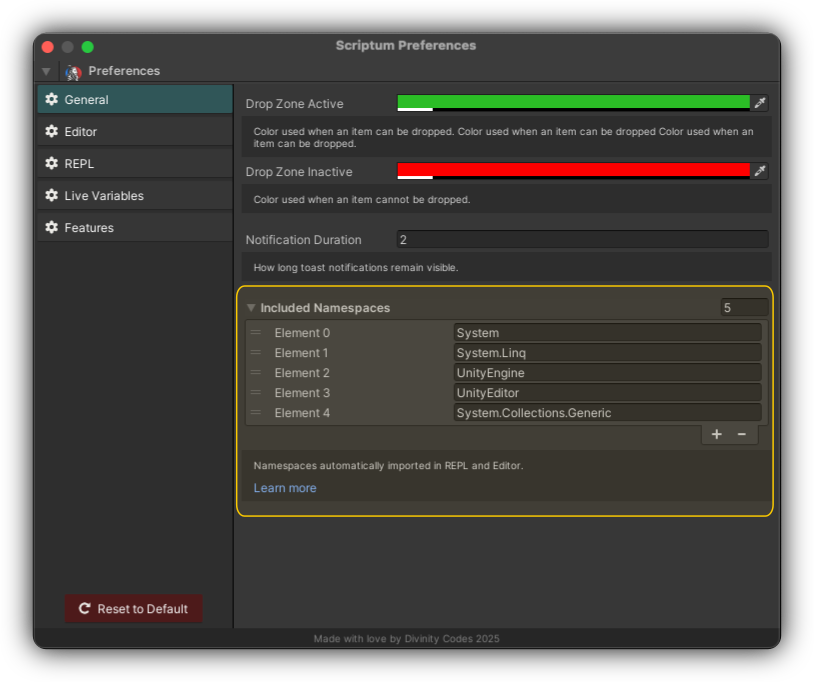
SystemSystem.LinqSystem.Collections.GenericUnityEngineUnityEditor
These imports allow you to write code without needing to fully qualify types. For example, you can directly use GameObject, Debug, List<>, etc., without writing UnityEngine.GameObject or System.Collections.Generic.List.
Customizing Namespaces
You can manage this list under:
Scriptum → Preferences → General → Included Namespaces
Here, you can:
- Add or remove namespaces based on your needs
- Reorder them for clarity
- Use the Reset to Default button to revert to the built-in list
This is especially helpful if:
- You frequently use custom frameworks or third-party libraries
- You want to avoid manually writing full namespace paths
- You're using REPL and want access to certain types instantly